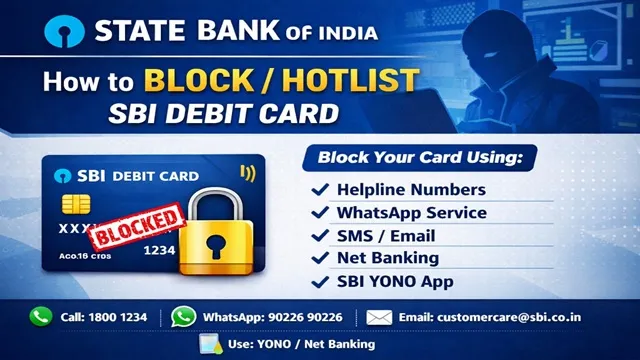
If your SBI Debit Card is lost, or if money is deducted incorrectly from your SBI bank account or a cyber fraud occurs, how can you immediately block or hotlist your Debit Card and the associated bank account.
The State Bank of India has provided a total of 8 methods for its customers through which an SBI Debit Card and Bank Account can be blocked or hotlisted.
Method No. 1: By Calling the Helpline Numbers
- SBI has issued some official helpline numbers through which debit cards and bank accounts can be blocked.
- SBI Official Helpline Numbers are :-
- 1800 1234
- 1800 2100
- 1800 425 3800
- 080-2659-9990
- You need to call any one of the numbers.
- After calling, you will hear an IVR voice.
- First, you have to select your language. Press 1 for Hindi, 2 for English, and similarly select other languages.
- After selecting the language, you have to press 0.
- After that, press 1 to select ATM / Debit Card Block.
- The IVR voice will read out the last 4 digits of your debit card.
- If the debit card number is correct, press 1, and your debit card will be blocked by the bank.
- For more information, you can also press 9 to talk to a customer care representative.
Method No. 2: Complaint for Fraud or Unauthorised Transaction
- If money has been deducted from your bank account and the transaction was not done by you, then in such a case, you need to register a complaint.
- For complaints, SBI has issued the following two numbers :-
- 1800 111 109
- 94491 12211
- You have to call any of the given numbers and choose your language, where you can press 1 for Hindi, 2 for English, and 4 for other languages.
- It is important to note that only unauthorised transaction complaints can be registered on these numbers.
- After that, as soon as you press 1, your call will be transferred to a customer service officer.
- The customer service officer will take complete details related to fraud or unauthorised transactions, register your complaint, and issue a support number.
This is SBI's Fraud Helpline. Registering a complaint here can help stop further transactions.
Method No. 3: With the Help of WhatsApp Support
- First of all, from your WhatsApp number, you need to send "Hi" to 90226 90226.
- After that, you will be asked whether you are a State Bank of India customer or not, to which you have to reply "Yes".
- The bank will send you a Terms and Conditions PDF, which you have to read and reply "Yes".
- After that, you need to enter the last 4 digits of your SBI account number.
- You will receive an OTP on your mobile number, which you need to enter in the chat.
- After that, you will get a list of services in the chat, from which you need to select More Services and then choose the Complaint section.
- Then, from the Complaint Services section, select "Block Your ATM / INB / UPI".
- After that, click on Block ATM. The bank will block your ATM card.
Method No. 4: Block SBI Debit Card via SMS
- You can also block your debit card through SMS. For this, you need to send an SMS from your registered mobile number.
- The message you need to send is shown on your screen: "BLOCK (last 4 digits of ATM card)". Send this message to "567676".
- For example, send BLOCK 4141 to 567676.
- Please note that the sending of SMS is not free. A charge of Rs. 3 per SMS will be applicable.
Method No. 5: Register a Complaint via Email
- You can also register a complaint via email and get your debit card or bank account blocked.
- Draft an email and send this to "customercare@sbi.co.in" or "contactcentre@sbi.co.in".
- After this, a support number will be issued for your complaint and the debit card will be blocked.
Method No. 6: Block Debit Card via Net Banking
- You can also block your debit card or bank account through State Bank of India's net banking.
- First, go to https://onlinesbi.sbi.bank.in/ and select Personal Banking, then log in.
- If you are not already registered, you need to complete registration using your account number, CIF number, branch code, and mobile number.
- After logging in, select e-Services and click on ATM Card Services.
- On the next screen, select Block ATM Card.
- Now select the account number and then select the ATM card number.
- The website will ask for the reason for blocking the ATM card, which you need to fill out correctly.
- After clicking the submit button, the website will verify your mobile number through OTP.
- After verification, your ATM card will be blocked.
Method No. 7: Through SBI Quick App
- You can also block or hotlist your debit card through the State Bank of India's SBI Quick App.
- First, download the SBI Quick App from the Play Store.
- After downloading, open it and select ATM cum Debit Card.
- Then click on ATM Card Blocking.
- This service can be used only in case of loss of the card.
- Now enter the last 4 digits of your ATM card.
- As soon as you click the submit button, your ATM card will be blocked.
Method No. 8: Via SBI YONO App
- You can also block your debit card through the State Bank of India's YONO App.
- Open the YONO App and log in by entering your MPIN.
- After logging in, select the My Cards option.
- Then select My Debit Cards.
- The details of the debit card issued in your name will appear.
- Scroll down a bit and you will see the option to block the card. Click on it.
- Now the screen will ask whether you want to temporarily block or permanently block your debit card.
- After selecting the correct option, the YONO mobile app will block your ATM card.
It is very important to understand that as soon as your card is lost, you should get it blocked immediately. You should only call or message SBI's official numbers. You should not click on any unknown links.
Comments